Agent Grid: Oversee AI Agents with Seamless Efficiency
Discover how Agent Grid's live terminals and intuitive layout simplify monitoring of multiple AI agents, ensuring efficient management across projects.
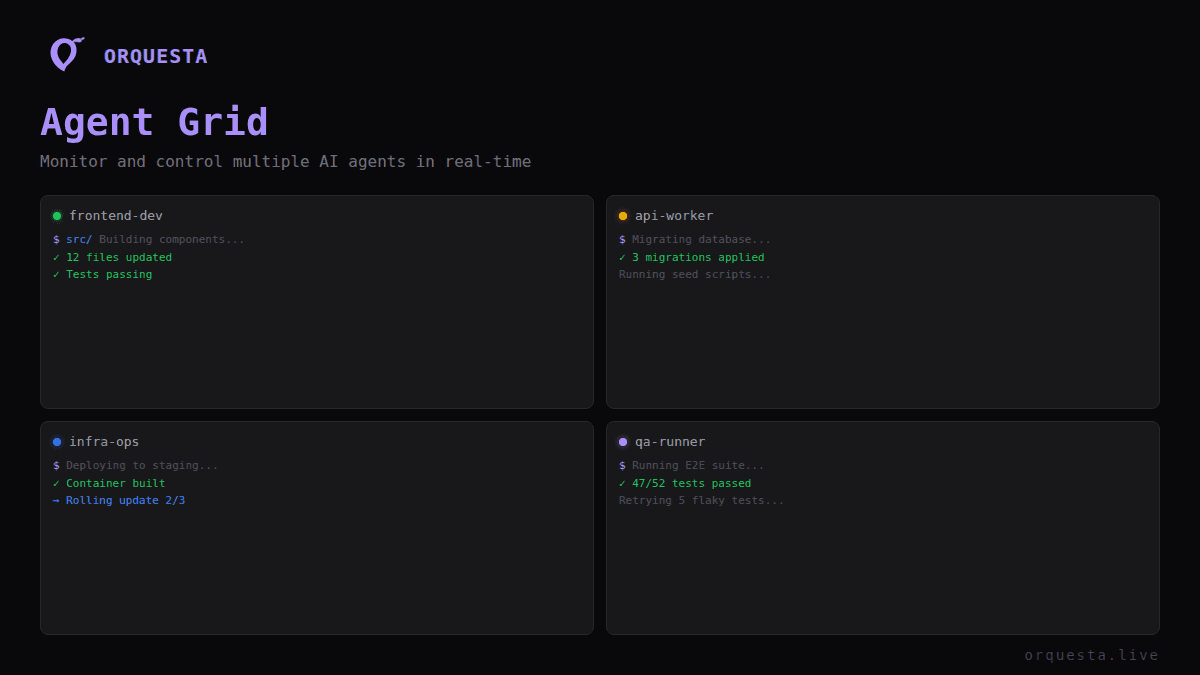
Managing multiple AI agents across various projects can quickly become unwieldy without the right tools. In Orquesta, the Agent Grid offers an elegant solution, combining comprehensive oversight with an intuitive user interface. Here's how it works and why it's indispensable for anyone juggling multiple AI processes.
The Power of Real-Time Monitoring
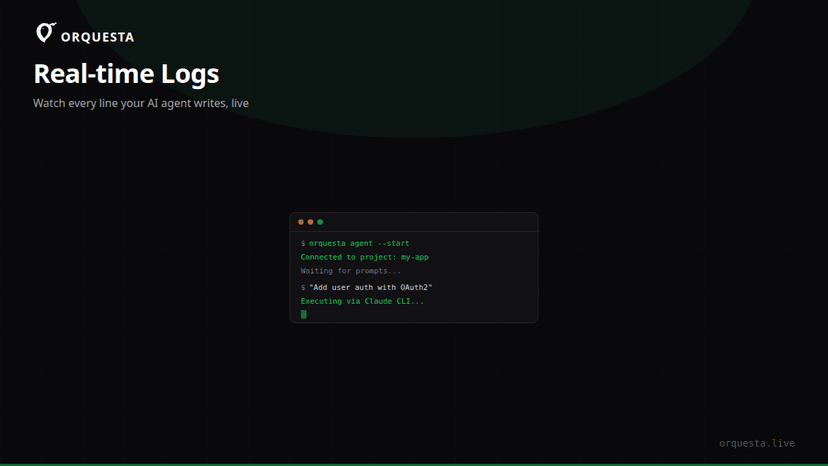
Imagine overseeing a fleet of AI agents from a single screen, each executing complex tasks locally on different machines. Agent Grid provides exactly this capability with live terminals that stream output line-by-line in real-time. This feature is crucial for developers and teams who need to keep their fingers on the pulse of each agent's activity, diagnose issues on the fly, and ensure that everything runs smoothly.
Live Terminals: The Heart of Agent Grid
Each agent within the grid has a dedicated terminal window. These live terminals are not just passive displays—they actively stream every line of execution output as it happens. This immediacy allows developers to respond to issues or unexpected behavior without delay, which is essential when managing more than ten AI agents simultaneously.
Drag-to-Rearrange: Tailor Your Workspace
With Agent Grid, flexibility is paramount. You can drag and drop agent terminals within the grid to reorganize them as needed. This capability is particularly useful when projects demand varying levels of attention at different times. For example, if a critical deployment requires more oversight, you can move its terminal to a more prominent position on your screen.
Status Indicators: Instant Visual Feedback
Agent Grid includes a robust system of status indicators to give you at-a-glance insights into the health and status of each agent. These indicators display information like execution success, warnings, errors, and more.
Color-Coded Alerts
- Green: Everything is running smoothly, no immediate attention needed.
- Yellow: Warnings are present, suggesting that an agent’s activity may require a check.
- Red: Errors have occurred, necessitating immediate investigation.
By using color-coding and symbols, Agent Grid ensures that no matter how cluttered or busy your screen might become, you can quickly assess each agent's status.
Column Layouts: Organize for Your Workflow
Agent Grid's column layout feature allows you to group agents by project or function, adapting the interface to fit your workflow. This organization means that as you manage AI agents across different projects, you can maintain clear boundaries between disparate tasks and focus where it's most needed.
Customizable Columns
You may choose to group agents running similar processes together, or keep those that require constant monitoring in a dedicated column. The customization reduces cognitive load and increases efficiency, particularly as the number of agents increases.
Why Agent Grid Matters
The significance of Agent Grid becomes apparent when you’re managing 10 or more AI agents across multiple projects. Without a unified interface, tracking changes, debugging issues, and ensuring smooth operation would require constant context switching, which is not only inefficient but prone to error.
Enhanced Productivity
By centralizing management into a single interface, Agent Grid reduces the need for multiple dashboards and minimizes the mental overhead associated with context switching. This focus on efficiency allows developers to spend less time managing and more time innovating.
Improved Collaboration
Agent Grid also enhances team collaboration. With a shared view of agent activity, teams can coordinate responses to issues in real-time, share insights, and ensure continuity across different shifts or team members.
Conclusion
Agent Grid transforms the way teams manage multiple AI agents, providing live, actionable insights and a customizable interface that adapts to any workflow. As AI agents become more prevalent in development environments, tools like Agent Grid will be essential in maintaining efficiency and ensuring successful outcomes in complex projects. The takeaway? When managing numerous AI agents, a tool like Agent Grid isn't just helpful—it's essential.
Ready to ship faster with AI?
Start building with Orquesta — from prompt to production in minutes.
Get Started Free →