Agent Grid: Streamline AI Agent Monitoring in Orquesta
Explore Orquesta's Agent Grid: manage AI agents efficiently with live terminals, drag-and-drop rearranging, and real-time status indicators for seamless project oversight.
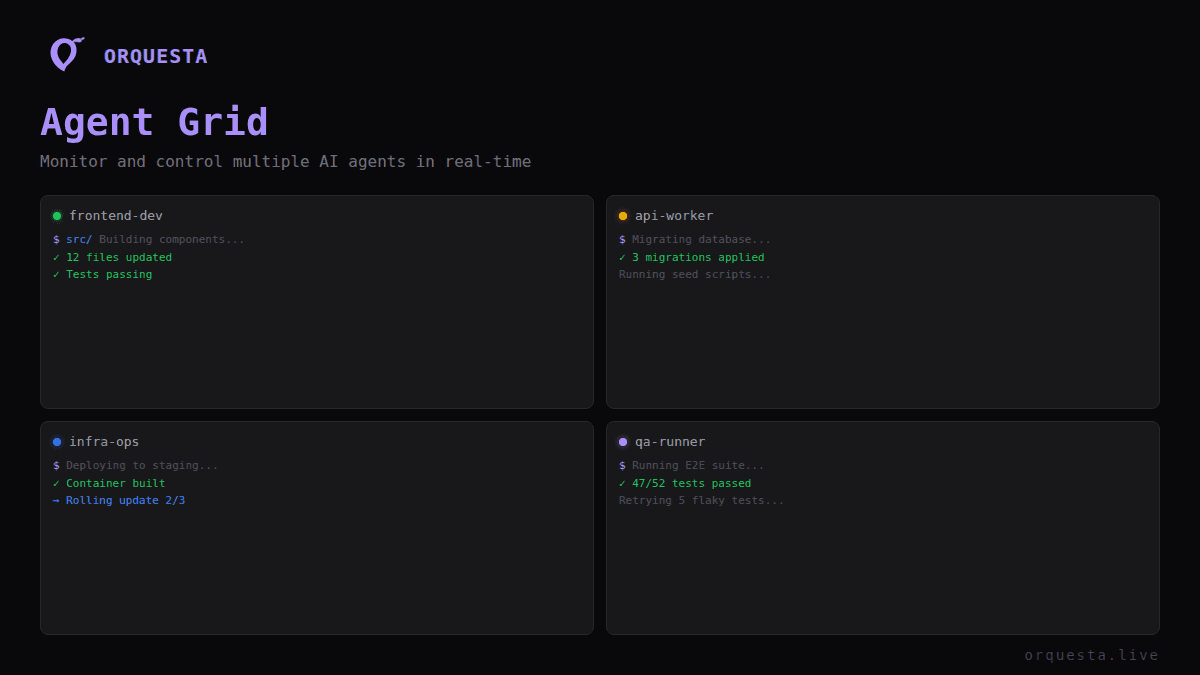
Efficient management of multiple AI agents is crucial for teams handling complex projects. At Orquesta, we've built the Agent Grid to simplify this task. Whether you're orchestrating a dozen agents across various projects or scaling your AI operations, Agent Grid offers a unified interface that brings clarity and control to your workflow.
Live Terminals: Real-Time Monitoring
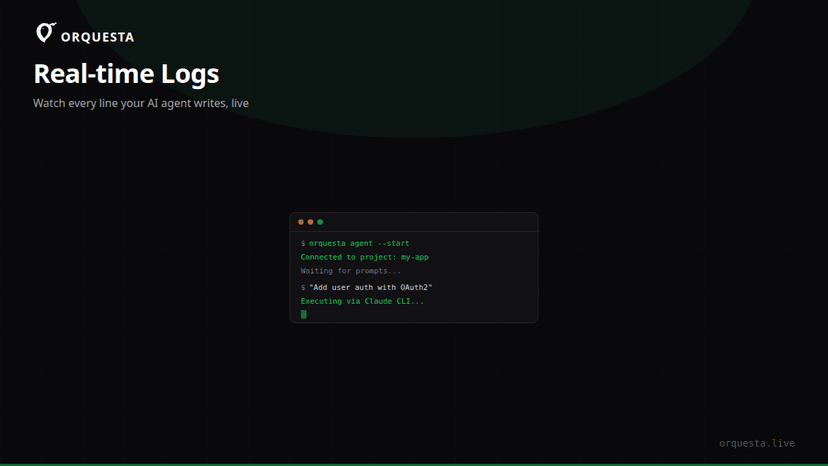
One of the standout features of Agent Grid is its live terminals. Each AI agent runs on your local machine, ensuring that everything stays within your infrastructure and complies with your security protocols. With live terminals, you can watch every line of output in real-time, getting immediate feedback on your prompts and actions.
Real-time monitoring is more than just a convenience; it's a powerful tool for debugging and optimization. You can immediately see how your agents respond to different inputs, allowing you to tweak and refine prompts for better performance. This level of transparency is critical when you are responsible for complex systems that depend on the timely and accurate execution of tasks.
Example Workflow
Here's how you might use live terminals in a typical workflow:
- Step 1: Deploy an AI agent using the Orquesta CLI with your preferred LLM.
- Step 2: Submit a prompt and watch the agent's terminal as it processes your request.
- Step 3: Adjust the prompt based on the live output to optimize the agent's response.
- Step 4: Confirm that the output meets your requirements before proceeding.
orquesta agent start --name my-agent --llm openai
Drag-to-Rearrange: Tailor Your Workspace
The Agent Grid is not just about displaying information; it's about letting you control how you see it. With drag-to-rearrange functionality, you can organize your grid to prioritize the most important agents. Whether you want to keep a close eye on a new deployment or ensure that a critical service is running smoothly, you can customize your layout to suit your needs.
This flexibility is especially beneficial in a dynamic environment where priorities can shift rapidly. By arranging your grid to highlight the most relevant data, you ensure that you're always focused on what matters most.
Status Indicators: Instant Insights
Working with multiple AI agents requires a clear overview of each agent's status. The Agent Grid provides intuitive status indicators that give you quick insights into the health and activity of each agent. Whether an agent is running successfully, waiting for input, or encountering errors, the status indicators provide an at-a-glance understanding of your system's state.
Status Colors
- Green: Active and running smoothly.
- Yellow: Idle or waiting for input.
- Red: Error encountered, requires attention.
These visual cues help you prioritize tasks and troubleshoot issues proactively, ensuring minimal downtime and maintaining the integrity of your projects.
Column Layouts: Structured Information
With Agent Grid, you can choose from various column layouts to display information in a structured manner. This allows you to present data that aligns with your team's workflow, enhancing clarity and reducing cognitive load.
Customizable Columns
- Execution Mode: Shows whether the agent is in Auto, SSH, Agent, or Batuta mode.
- Recent Activity: Logs the latest actions and responses for quick review.
- Resource Usage: Displays CPU and memory usage, essential for performance tuning.
By organizing data into these meaningful columns, you create a comprehensible overview that supports efficient decision-making.
Why Efficient Monitoring Matters
When operating over 10 AI agents across multiple projects, the ability to efficiently monitor and manage these agents is not just beneficial; it's essential. The Agent Grid brings together all the tools you need to maintain oversight, optimize performance, and swiftly address any issues that arise. By providing a centralized, customizable interface, Orquesta empowers you to manage complexity with confidence.
In fast-paced environments where AI-driven automation powers critical operations, having such a tool is indispensable. With Agent Grid, you ensure that your AI systems are not just functioning, but thriving, under your guidance.
Conclusion
Agent Grid is more than a monitoring tool; it's a strategic advantage in AI operations. By integrating live terminals, customizable layouts, and intuitive status indicators, Orquesta provides the clarity and control teams need to manage complex AI ecosystems. As you scale your AI projects, Agent Grid ensures you remain at the helm, orchestrating your agents with precision and insight.
Ready to ship faster with AI?
Start building with Orquesta — from prompt to production in minutes.
Get Started Free →