Agent Grid: Mission Control for Parallel AI Coding
Discover how Orquesta's Agent Grid enables developers to monitor multiple AI agents coding in parallel, enhancing collaboration and efficiency.
Introduction
In today’s fast-paced software development landscape, efficiency and collaboration are key. Developers are increasingly turning to AI to boost productivity, but managing multiple AI agents can be a daunting task. Enter Agent Grid—Orquesta’s solution for monitoring multiple AI agents coding in parallel. Think of it as mission control for developers, allowing you to oversee and optimize your team’s AI-powered coding efforts seamlessly.
What is Agent Grid?
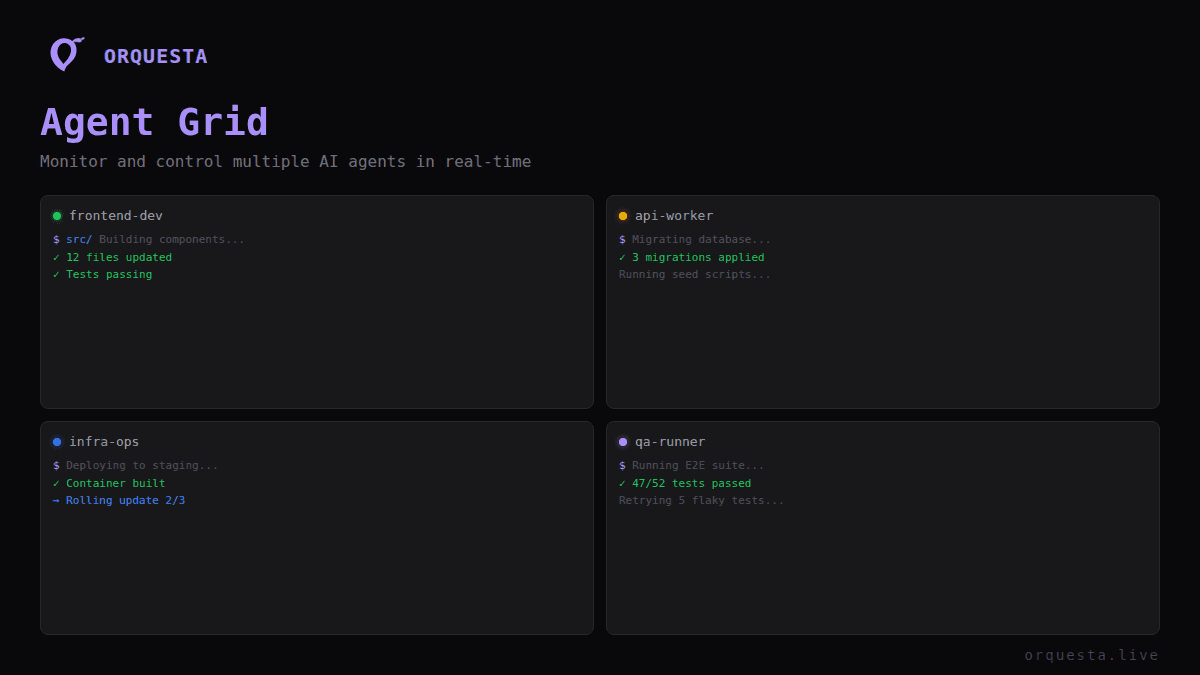
Agent Grid is a powerful feature of Orquesta that provides you with a centralized dashboard to manage multiple AI agents. Each agent can be assigned to different projects or tasks, enabling parallel processing and real-time collaboration. With Agent Grid, you can:
- Monitor the status of all your agents in one view
- Access real-time logs for each agent's activities
- Ensure that coding standards and project guidelines are being followed
- Quickly identify issues or bottlenecks in the development process
Key Features of Agent Grid
1. Real-Time Monitoring
The Agent Grid gives you a live overview of all connected agents. You can see which agents are currently active, what tasks they are executing, and their current status. This means you can manage resources effectively, ensuring that no agent is left idle while others are overloaded.
2. Project-Specific Agents
Each project can have its own dedicated agent, allowing for focused execution of tasks. This customization ensures that different coding standards and requirements are respected per project. You can easily switch between agents based on your project needs without losing track of their performance.
3. Live Logs and Activity Feed
With Agent Grid, every action taken by your AI agents is logged in real-time. You can access detailed execution logs, prompt history, git diffs, and a performance dashboard at any time. This comprehensive audit trail provides insights into each agent's performance and helps in tracking down issues or analyzing costs.
4. Customizable Configurations
Agent Grid allows for unique configurations for each agent. You can set up custom rules, quality gates, and role-based permissions to ensure that every agent operates within your specified guidelines. By enforcing these standards, you gain greater control over your coding environment and can maintain high-quality output.
5. Collaboration Made Easy
Whether you’re working with contractors, clients, or teammates, Agent Grid facilitates collaboration without compromising your environment's security. You can invite others to execute prompts on your machine without granting them SSH access, allowing for safe interactions while retaining control. This feature is crucial for teams that need to work together without exposing sensitive information or project integrity.
The Benefits of Using Agent Grid
The primary advantage of using Agent Grid is the increased efficiency it brings to your development process. Here are some specific benefits:
- Boosts Productivity: By allowing multiple agents to work in parallel, you significantly reduce the time required to complete coding tasks.
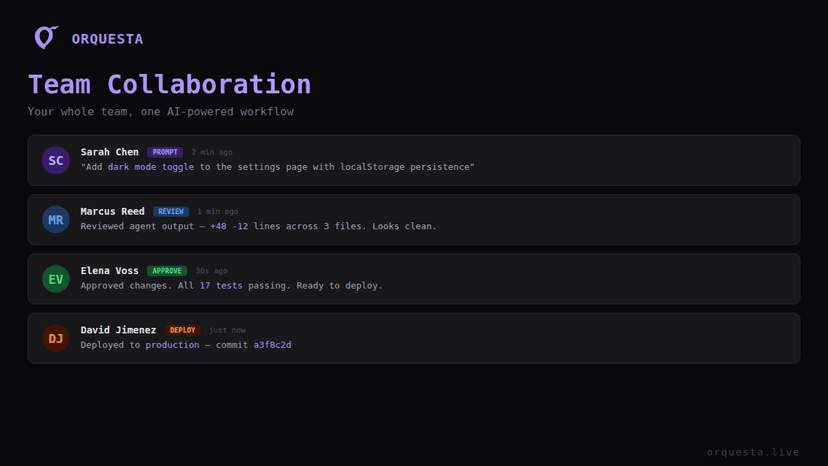
- Enhanced Collaboration: With live monitoring and collaboration tools, teams can work together more effectively, resulting in quicker problem resolution and improved communication.
- Quality Assurance: The ability to enforce coding standards and perform quality checks through quality gates ensures that every piece of code meets your project’s requirements.
- Improved Resource Management: Monitor agent performance in real-time to identify bottlenecks and allocate resources more efficiently.
Real-World Use Cases
To illustrate the power of Agent Grid, consider the following scenarios:
Scenario 1: Software Development Teams
A software development team is working on multiple features simultaneously. With Agent Grid, the team can assign specific agents to each feature. As the agents work in parallel, the team can monitor progress and quickly address any issues that arise, ensuring that the project stays on track.
Scenario 2: Client Collaborations
When collaborating with clients, developers can invite them to interact with the Agent Grid without giving them access to the underlying infrastructure. Clients can submit prompts, which the agents execute within the developers’ controlled environment, fostering trust and transparency in the development process.
Scenario 3: Code Review and Quality Gates
In a scenario where a team lead needs to approve code changes, Agent Grid can facilitate this process by simulating changes and allowing the team lead to review them before final approval. This ensures that only approved changes make it into the main codebase, maintaining the quality of the product.
Conclusion
Agent Grid transforms the way developers manage AI-powered coding efforts by providing a centralized platform for monitoring and collaboration. With its ability to oversee multiple agents simultaneously, enforce quality standards, and facilitate team interactions, Agent Grid is an essential tool for any development team looking to enhance productivity and streamline their workflows.
If you’re ready to take control of your AI coding agents and boost your development process, start exploring the capabilities of Agent Grid today at Orquesta.live. Let your team thrive in an environment where collaboration meets efficiency and quality remains paramount.
Call to Action
Explore Agent Grid today on Orquesta and see how you can elevate your coding processes with powerful AI agents working in harmony. Sign up now and empower your development team with the tools they need to succeed.
Ready to ship faster with AI?
Start building with Orquesta — from prompt to production in minutes.
Get Started Free →